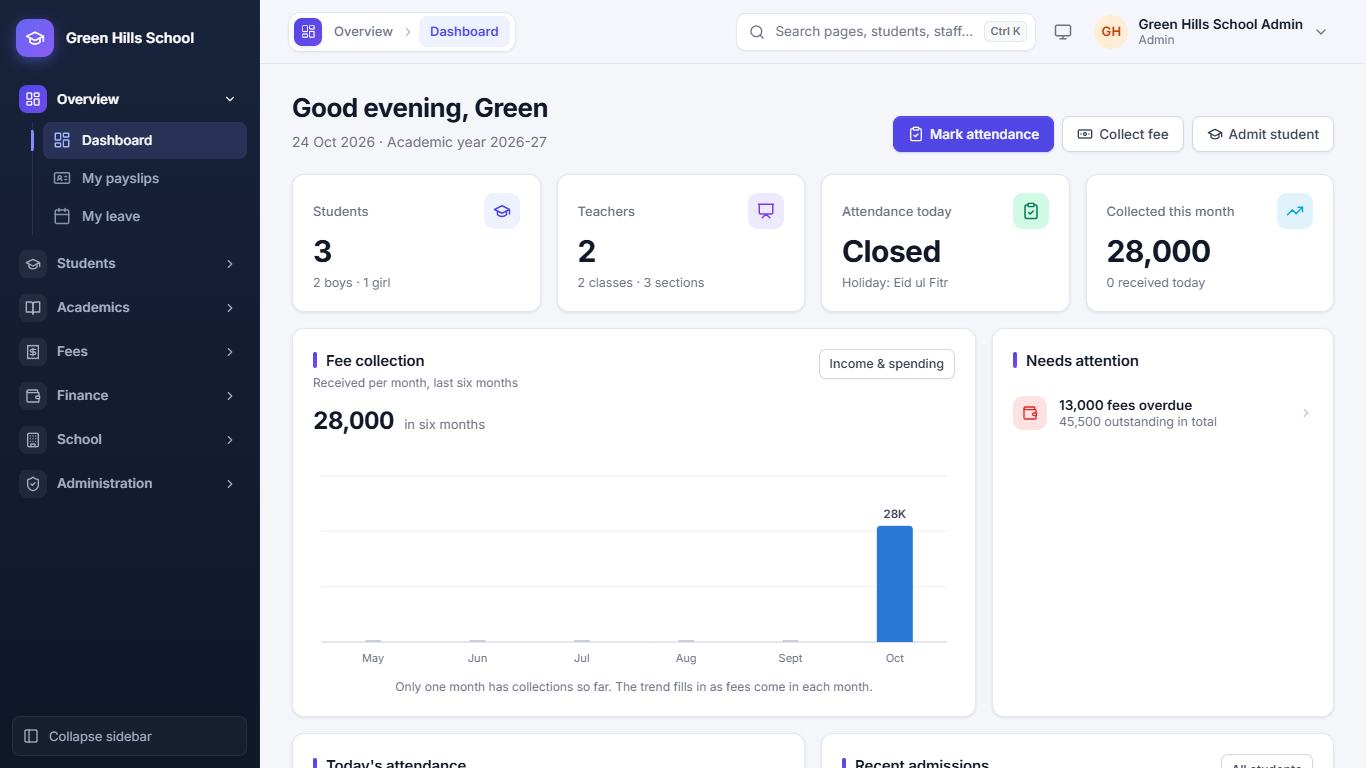
Make the month's vouchers in one click. Collect at the counter in seconds.
Set your fee heads and class-wise amounts once. Each month, generate vouchers for the whole school with a due date and late fine.
- Type a voucher no., admission no., name or family no. like F-12 at the counter and take the payment
- Sibling discount applied automatically, for example 20% off tuition for the 2nd child
- Defaulter list by months unpaid, and SMS or WhatsApp reminders joined into one message per family
- Running vouchers twice is safe: students who already have one are skipped
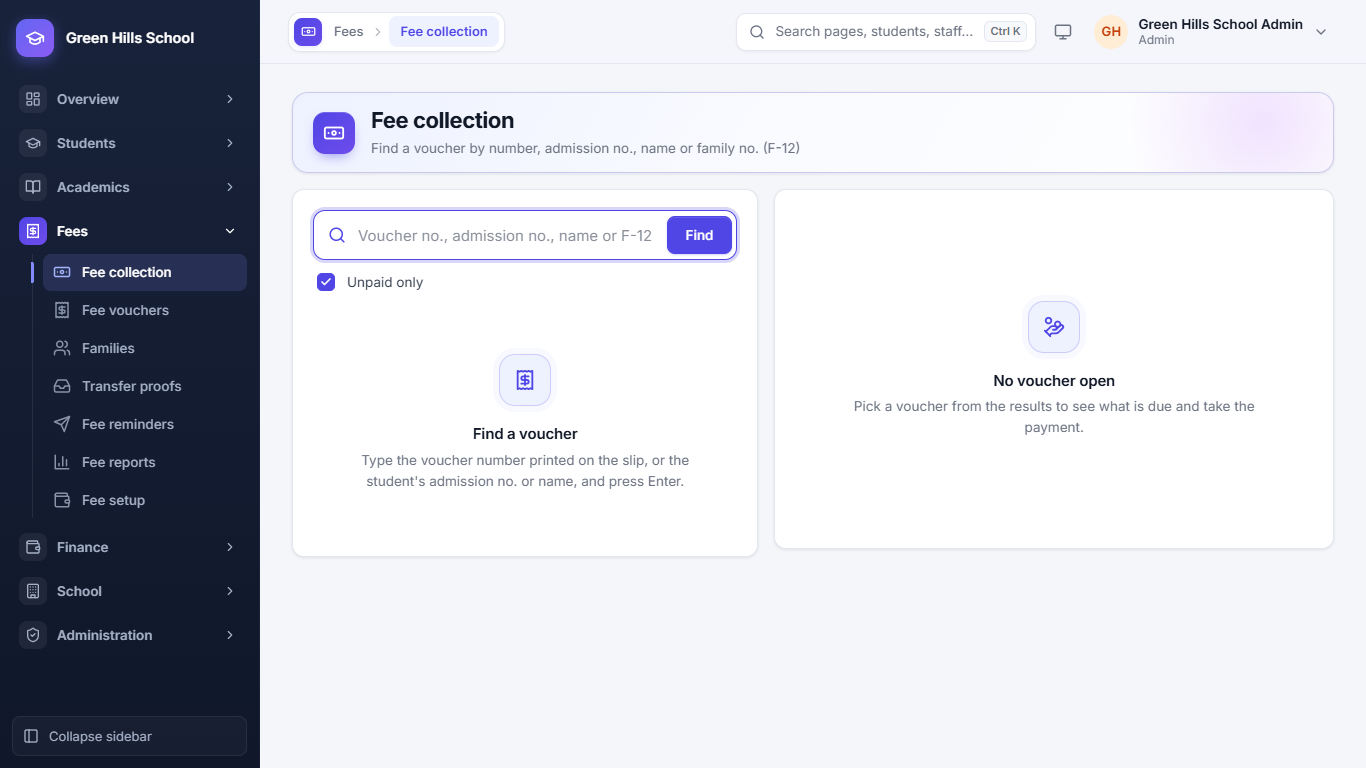
JazzCash, Easypaisa and bank transfers, checked in one place.
Parents pay into your school's account, then send the transaction ID and a photo of the receipt from the portal. Your accountant approves or rejects it, and the parent gets an SMS either way.
- Approved payments go straight onto the voucher, with the TID as reference
- A red badge in the menu shows how many proofs are waiting
- One proof can cover all of a parent's children
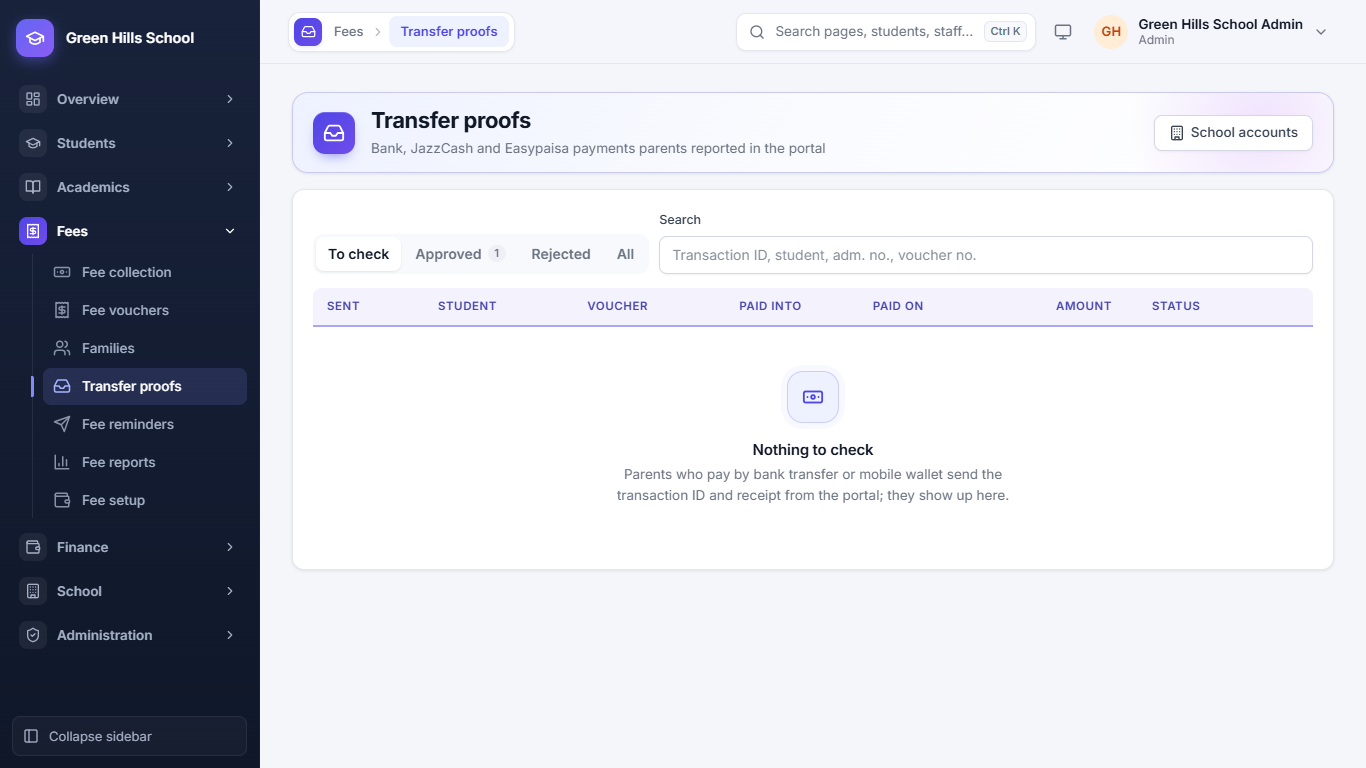
Parents know the same day when a child is absent.
Teachers mark Present, Absent, Late or Leave for their own sections. Fifteen minutes later, parents of absent children get an SMS or WhatsApp message. If a teacher fixes a mistake before then, nothing is sent.
- Monthly grid for each section, plus staff attendance and leave
- Pakistan's national holidays added in one click; attendance is closed on holidays
- Text all parents about a new holiday
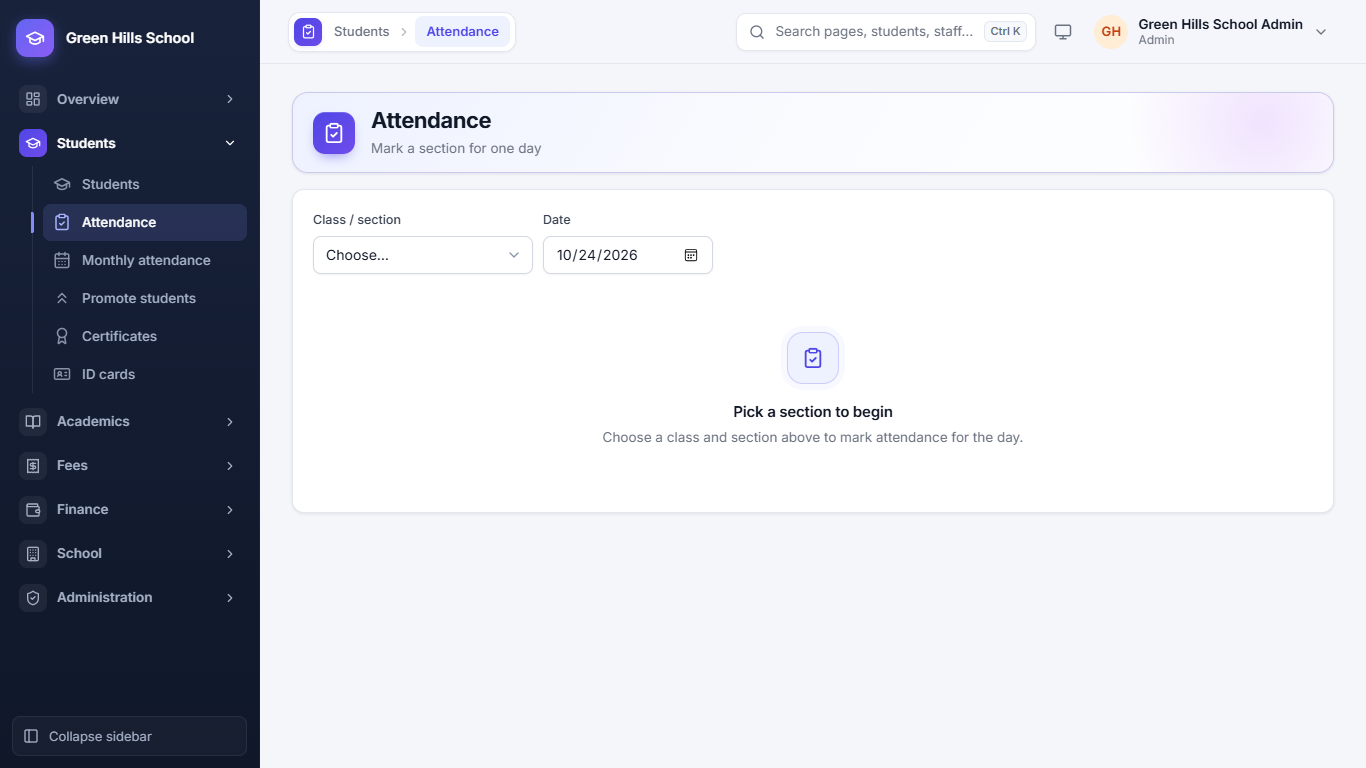
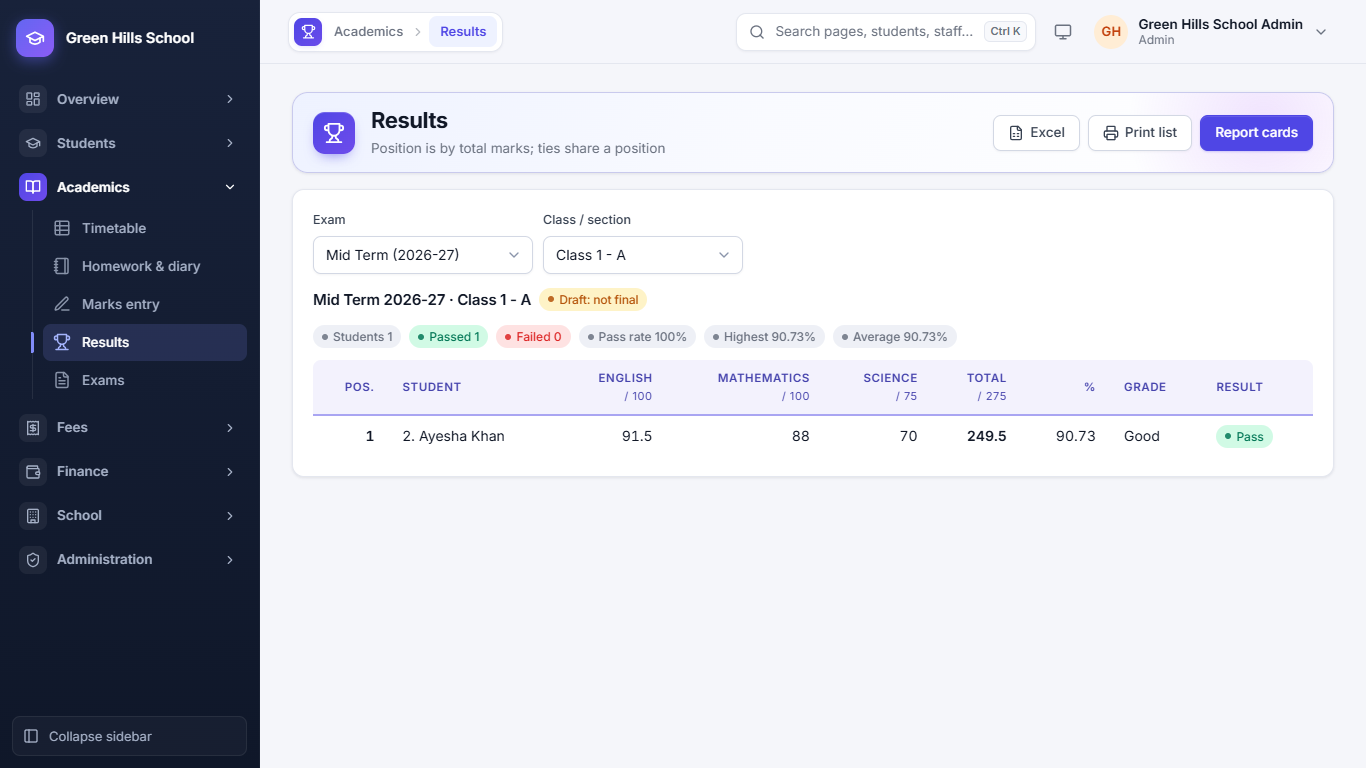
Marks in, report cards out.
Teachers enter marks for their own subjects. When all marks are in, publish the exam: totals, percentage, grade and class position are worked out, and parents see the report card in the portal.
- Timetable by class and by teacher, with each teacher's workload
- Daily homework and diary that parents can read
- School Leaving, Character and Bonafide certificates
- Promote the whole school at the end of the year
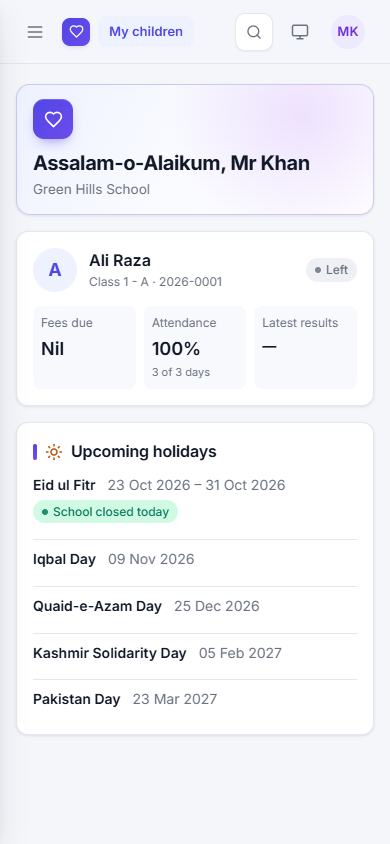
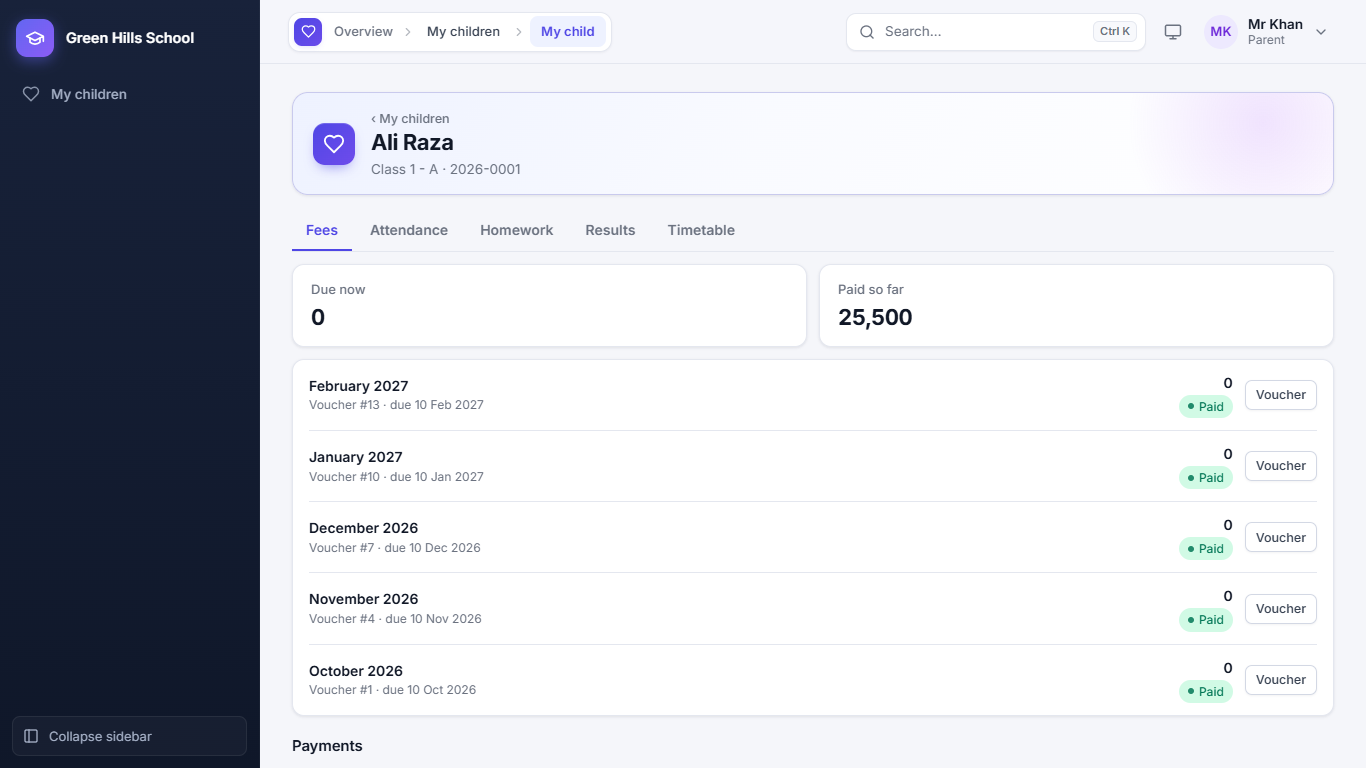
Everything a parent asks the office, on their phone.
Each parent gets a login, usually their mobile number. They see fees due, attendance, homework, results and the timetable for each child, and can send a payment proof without coming to school.
- One login covers brothers and sisters, even at different branches
- Upcoming holidays on the home page
- Works in any phone browser
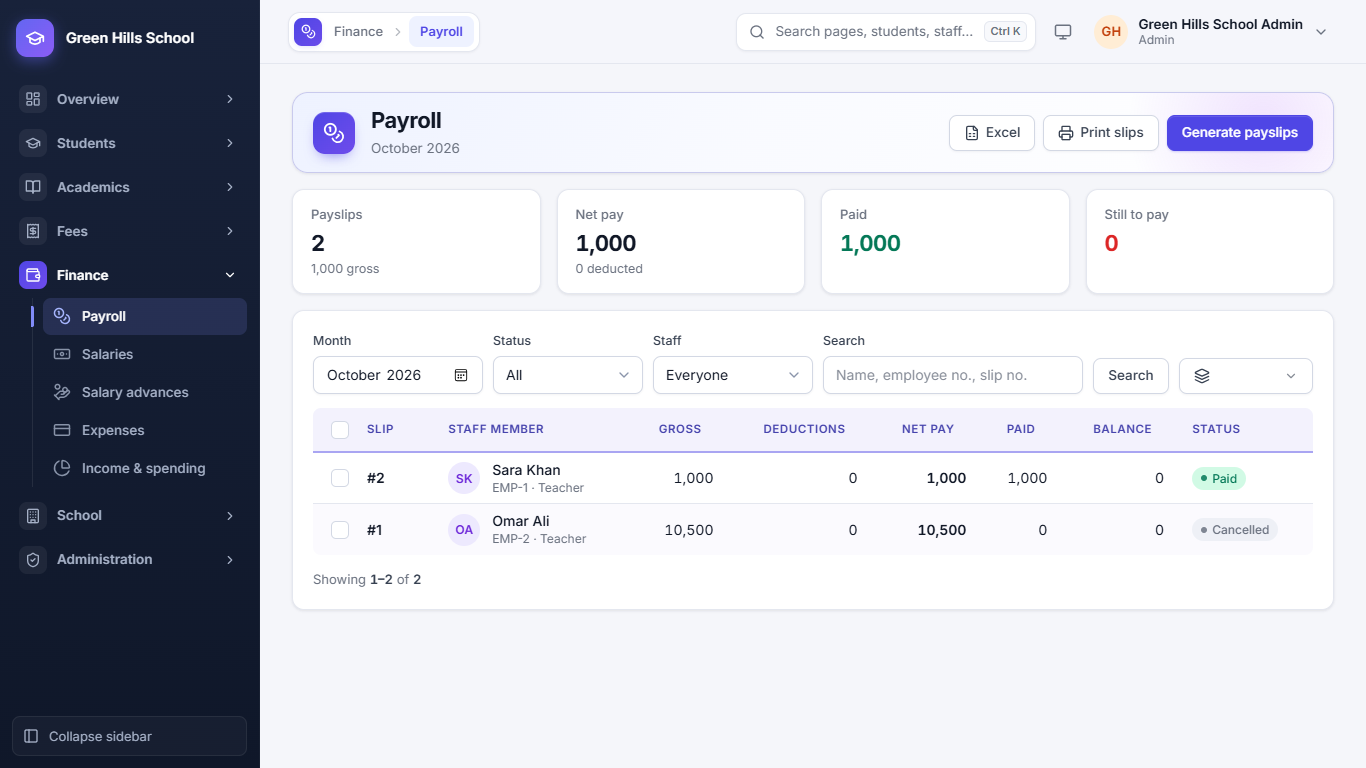
Payslips each month, and a clear view of income and spending.
Set each person's basic pay and allowances once. Generate the month's payslips, cut absent days if you choose, and recover salary advances in instalments.
- Staff see their own payslips and apply for leave from their login
- Record electricity, rent, repairs and other expenses
- Fee income beside salaries and expenses, month by month
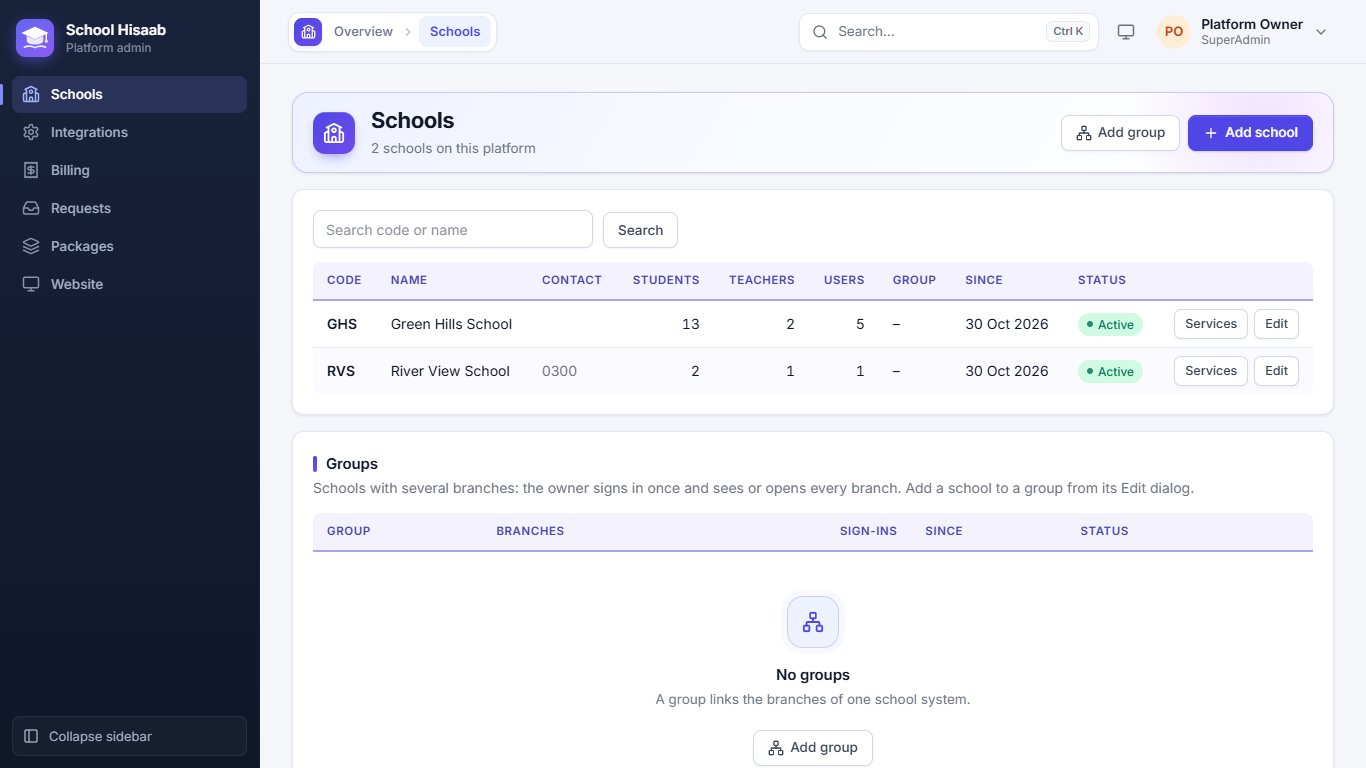
All your branches under one owner login.
Join your campuses in a School Group. Each branch keeps its own students, fees and staff, while head office sees them side by side.
- Students, attendance and fees of every branch on one page
- Collections and defaulters across all branches together
- Move a student or teacher to another branch; the parent's login follows the child
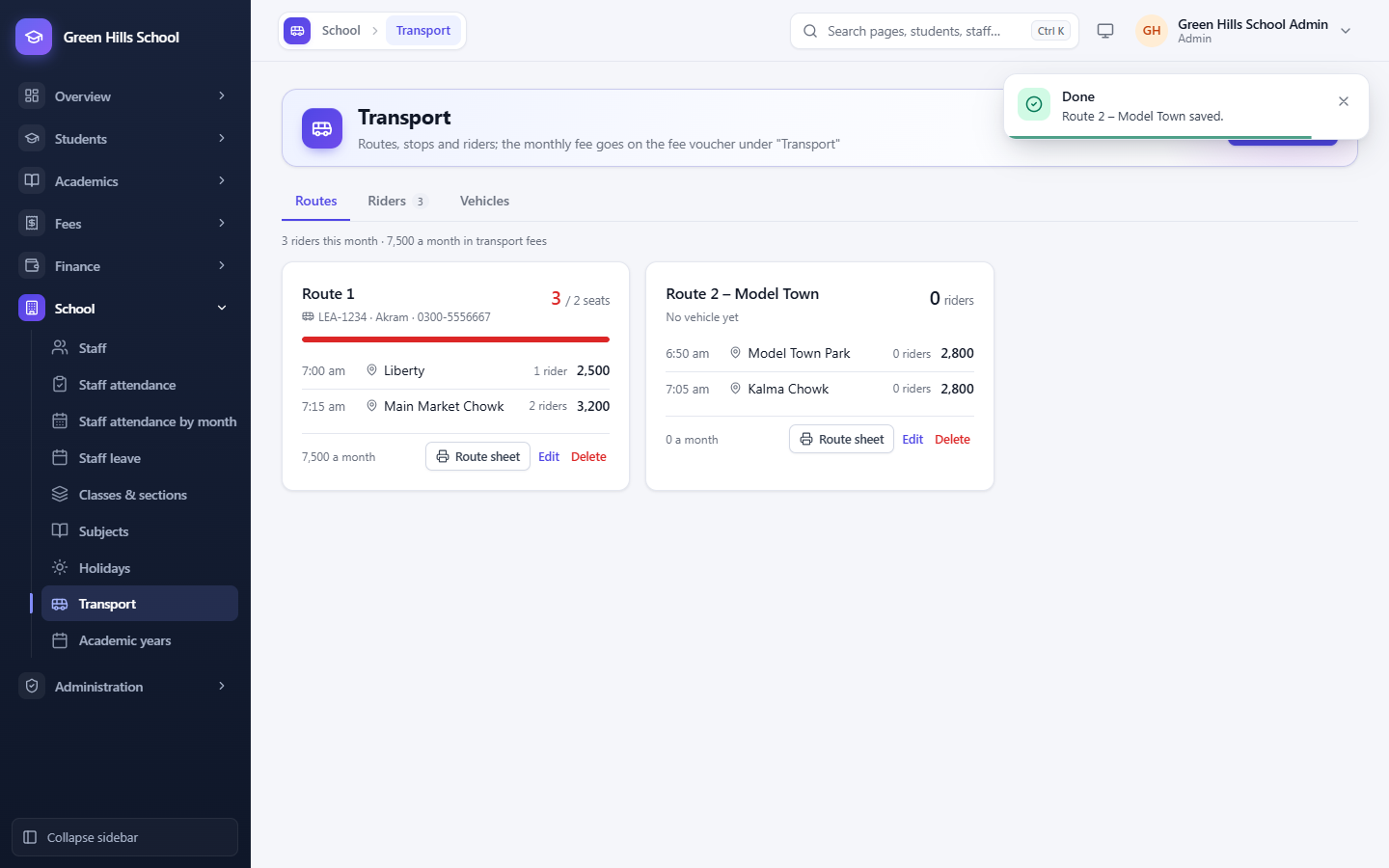
Vans, routes and stops, billed on the fee voucher.
Add each van with its driver, then each route with its stops, times and monthly fee. Put a student on a stop and the transport fee goes on their voucher every month by itself.
- Seats used on every route, so you know when a van is full
- A printable route sheet for the driver, stop by stop
- Parents see the stop, pick-up time and driver's number
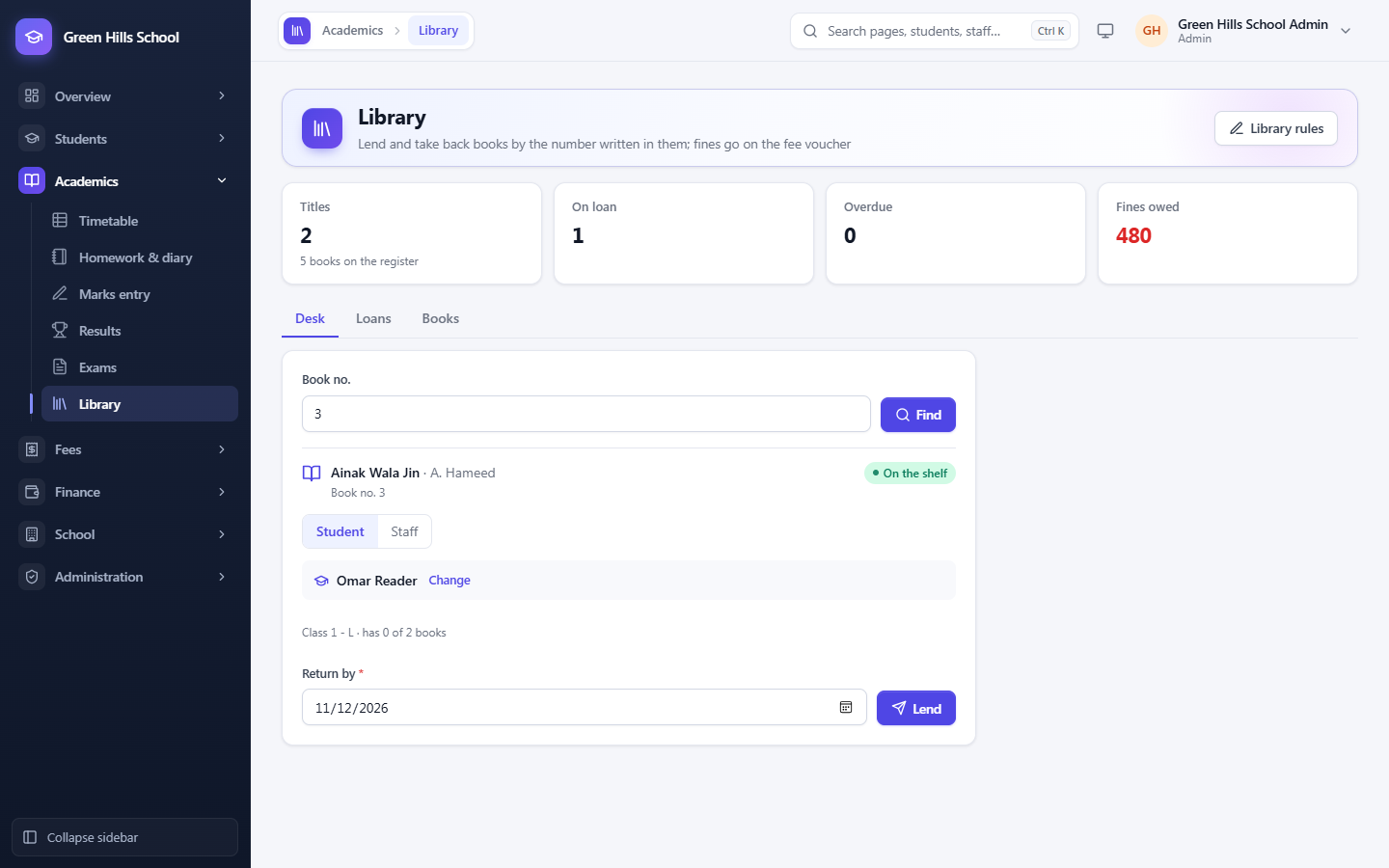
Lend a book by its number. Fines reach the fee voucher.
Each copy carries its register number. Type it at the desk, pick the student or teacher, and the book is lent with its return date. Late and lost books are fined, and a fine not paid at the library goes on the next fee voucher.
- Limits per borrower; no new book while one is overdue
- Parents see their child's books and return dates
- Post circulars to staff and parents, and text them to parents
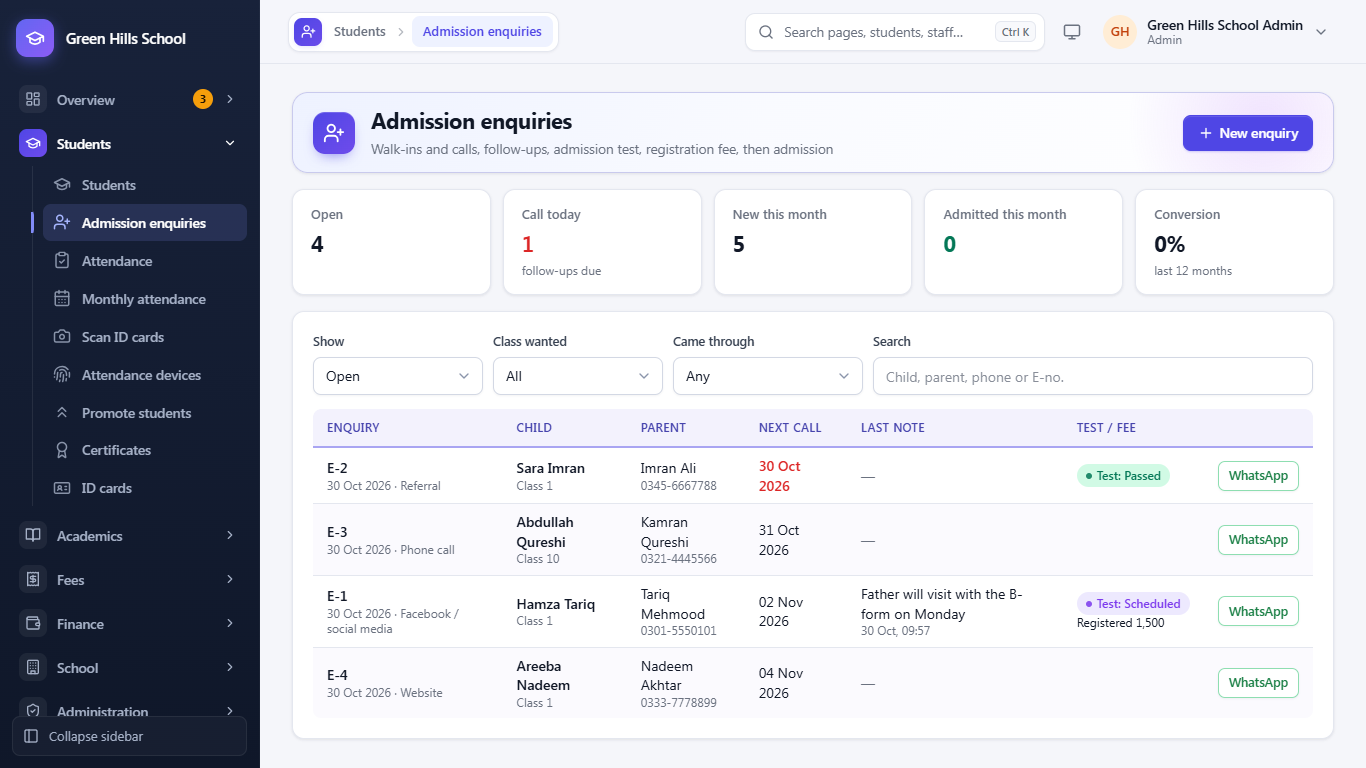
Every enquiry followed up, from the first call to admission.
Write down each walk-in and phone call with the class wanted and how the parent heard of you. The app reminds the office who to call back today, keeps every follow-up, and turns the enquiry into an admission without typing the details again.
- Admission test date and result, and a registration fee slip
- One click opens WhatsApp with the parent's number
- See how many enquiries become students
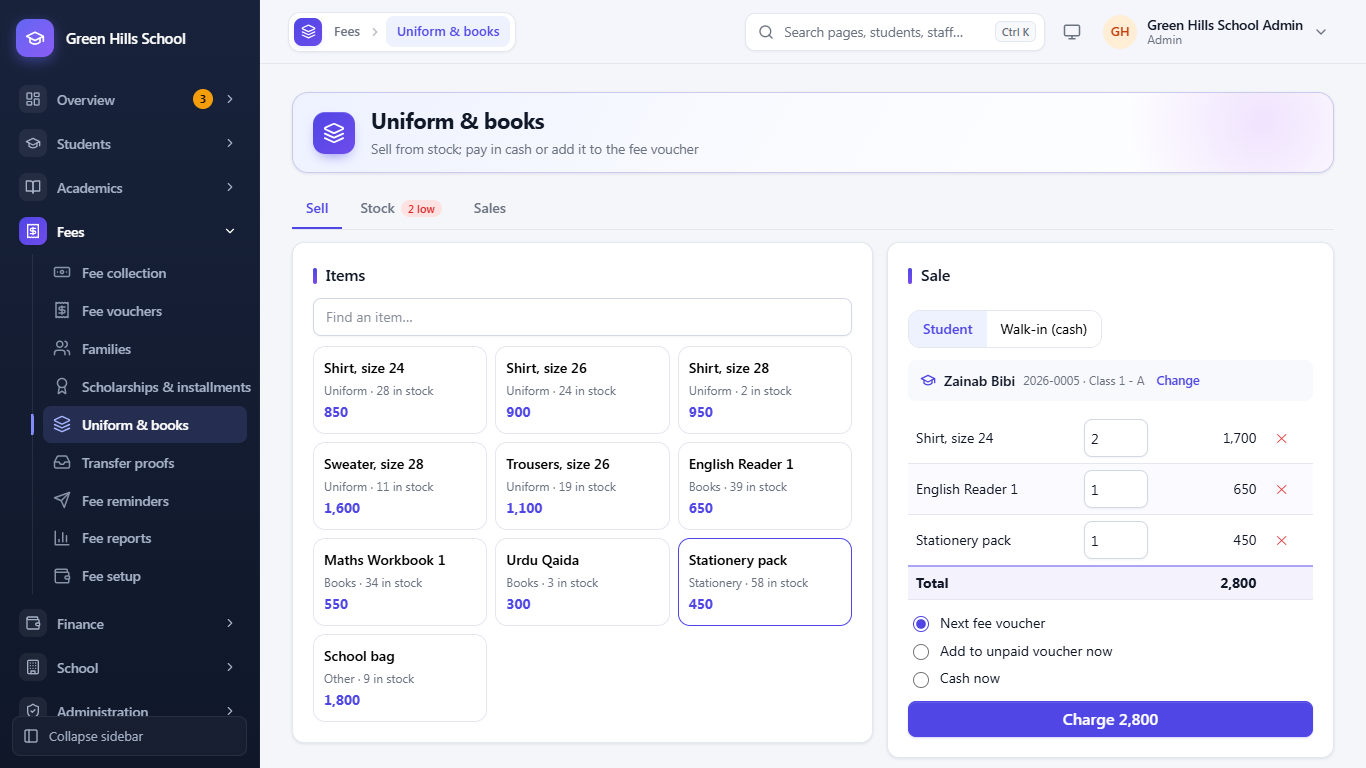
Uniforms, books and big fees, all on the same voucher.
Sell uniforms, books and stationery from a small stock list. Take cash, or put the sale on the student's next fee voucher. Split an admission fee into monthly parts, and give merit or need-based scholarships that the principal approves.
- Stock in, stock sold and a warning when an item runs low
- Installment parts reach the voucher of their month by themselves
- Scholarships lower the fee only after approval
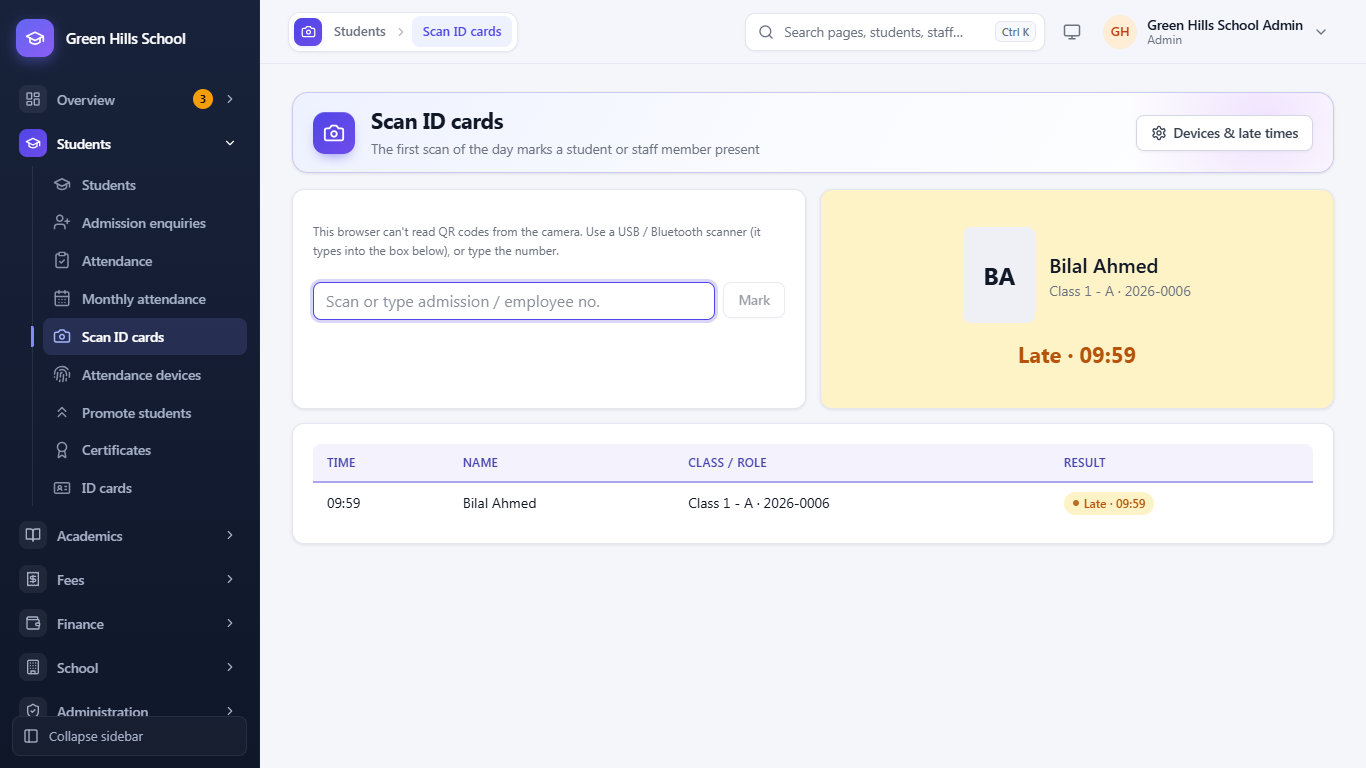
Scan the card at the gate. Attendance is marked.
Scan the QR code on a student's or teacher's ID card with a phone camera or a USB scanner, or connect a ZKTeco fingerprint machine. The first scan of the day marks Present, or Late after the time you set.
- An absent mark is corrected, and the absence message is not sent
- Staff attendance from the same machine, for payroll
- A daily log of every scan and punch
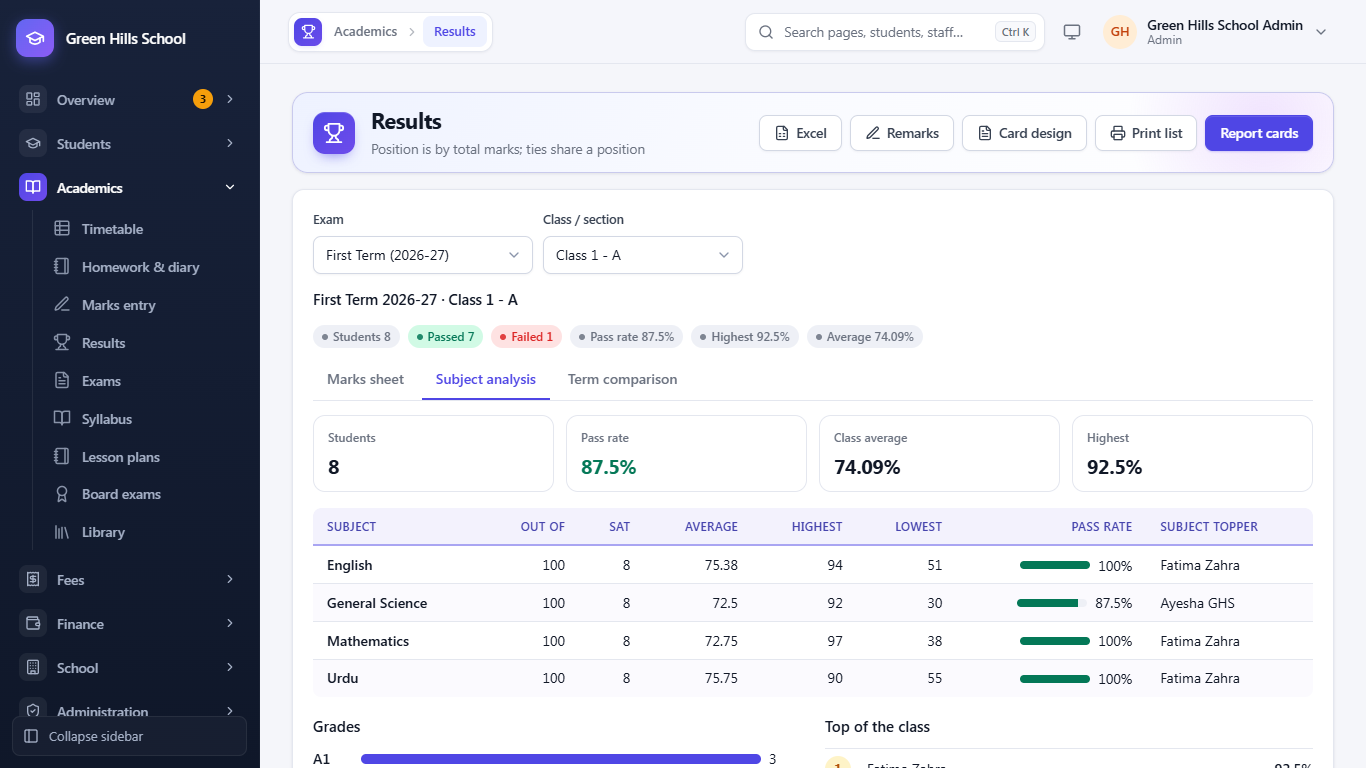
See which subject needs help, and track Matric and Inter candidates.
For every exam: class average, highest, lowest, pass rate and topper of each subject, and each student's rise or fall since the last exam. Report cards come in three designs with the teacher's remarks.
- Board registration and roll numbers for Matric, Inter, O and A Level
- Unpaid board fees go on the fee voucher by themselves
- Board results for parents when you choose to show them
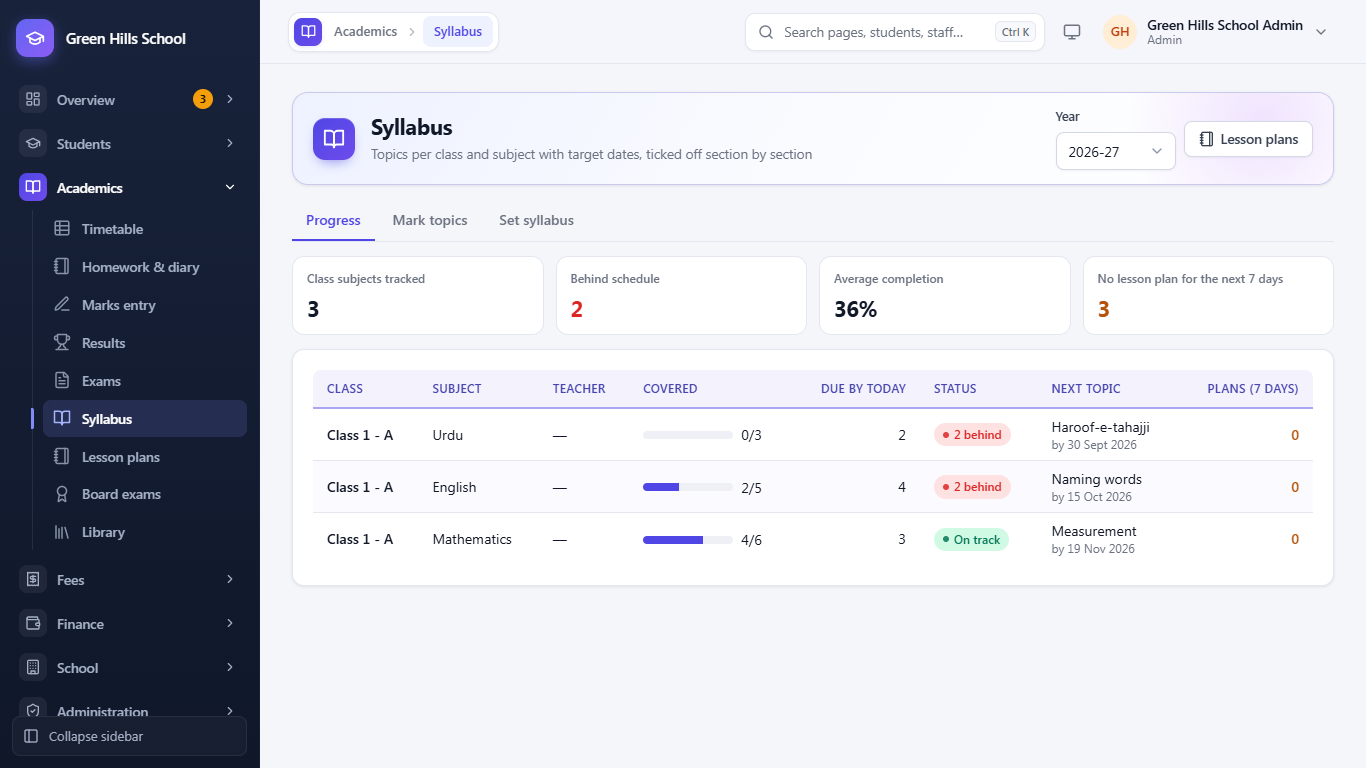
Know which class is behind before the exam, not after.
Set each subject's topics with target dates. Teachers tick topics as they teach them and write lesson plans; the principal sees every class subject, most behind first, and comments on plans.
- Ticking a lesson as taught marks its topic covered
- Teachers see only their own classes
- Spot classes with no lesson plan for the coming week
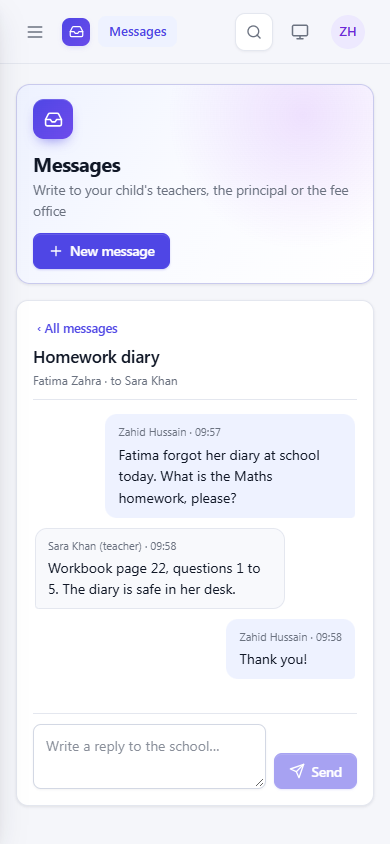
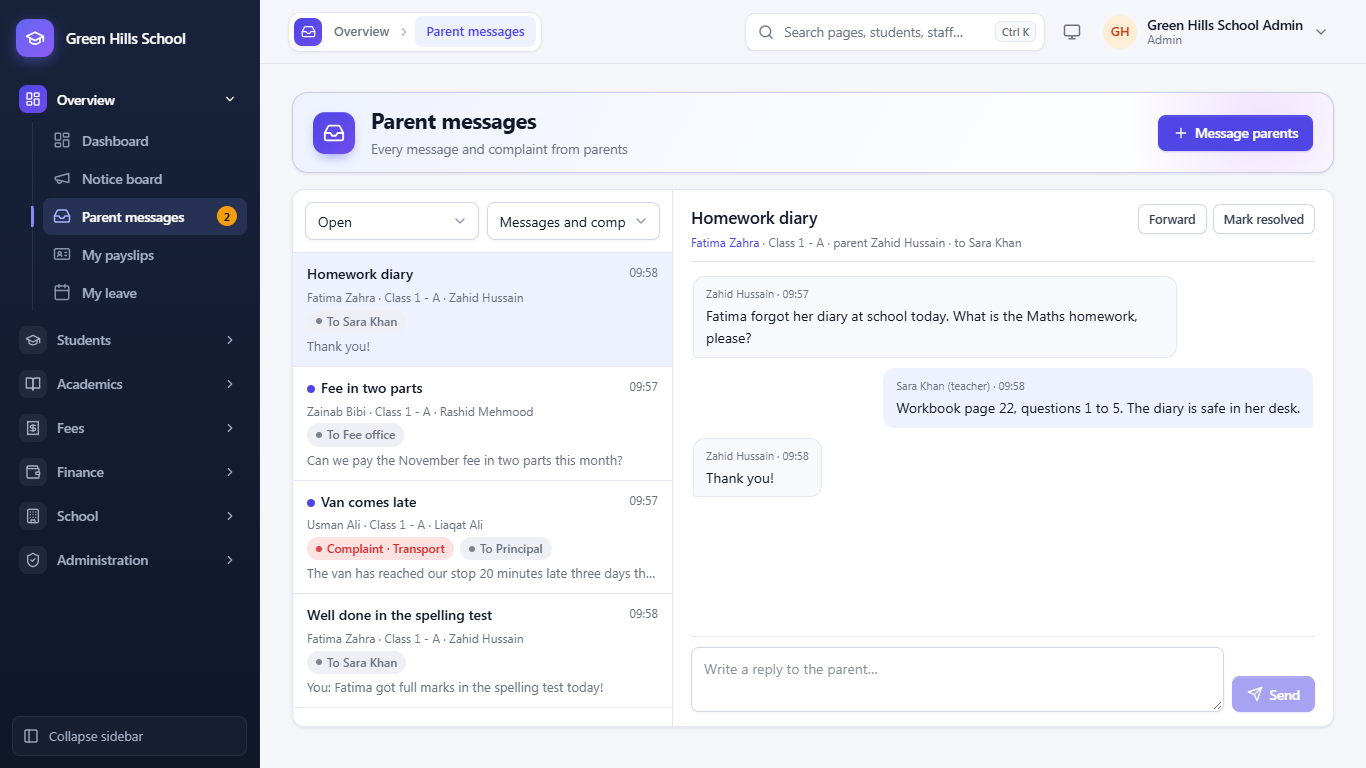
Parents write to the teacher. The answer arrives as a notification.
Parents send a message or complaint to the class teacher, a subject teacher, the principal or the fee office from the portal. Staff reply from their inbox; the principal sees everything and can forward it. Install the portal on a phone like an app, with notifications for messages, notices and homework.
- Complaints have a category and are marked resolved
- Absence alerts and fee reminders by WhatsApp, with SMS if WhatsApp can't deliver
- Works on Android, iPhone and computers
Find the child who is slipping, before they drop out.
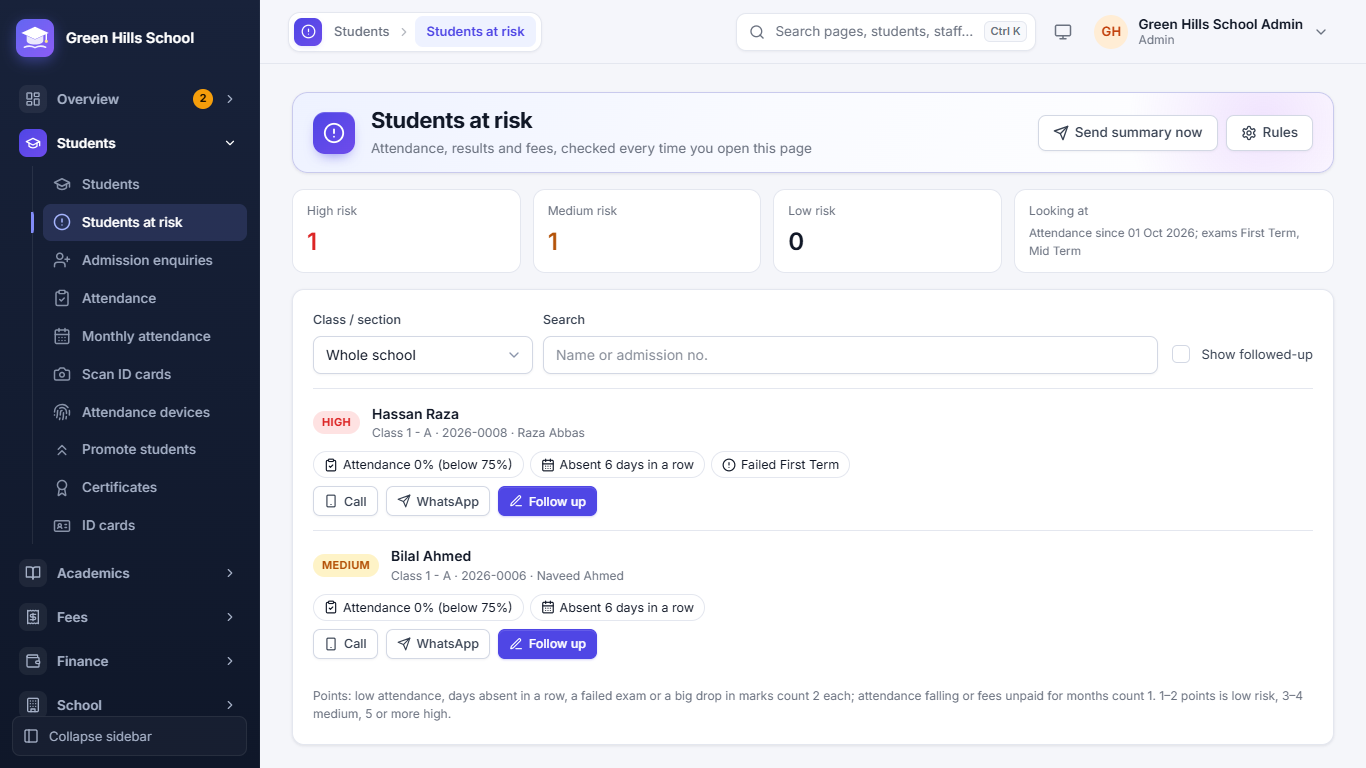
Each time the page opens, the app looks at each student's attendance, exam results and unpaid fees and lists those at high, medium or low risk, with the reasons. Call or WhatsApp the parent in one tap and write down what was done.
- Low or falling attendance, days absent in a row, failed exams, a big drop in marks
- A morning summary to the principal by WhatsApp or SMS
- Teachers see the students of their own class
Parents scan and pay. The bank statement becomes receipts.
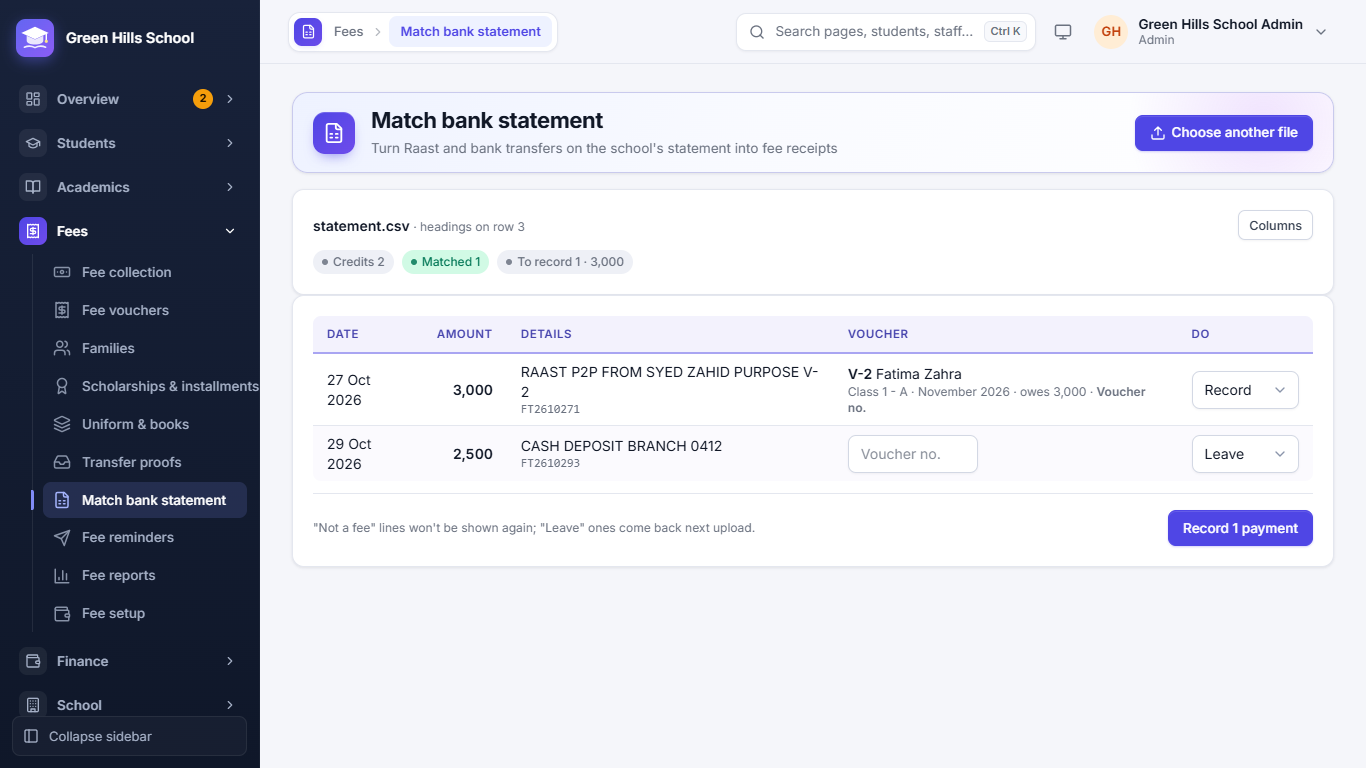
Print the school's Raast QR on every fee voucher with its voucher number, and on family vouchers with the family number. At the end of the day upload the bank statement: the app finds each voucher from the voucher no., admission no. or name and amount, and records the payments in one click.
- Free for parents from any bank or wallet app
- Never matches on the amount alone
- The same statement uploaded twice is not recorded twice
The date sheet prints itself. Position holders in one list.
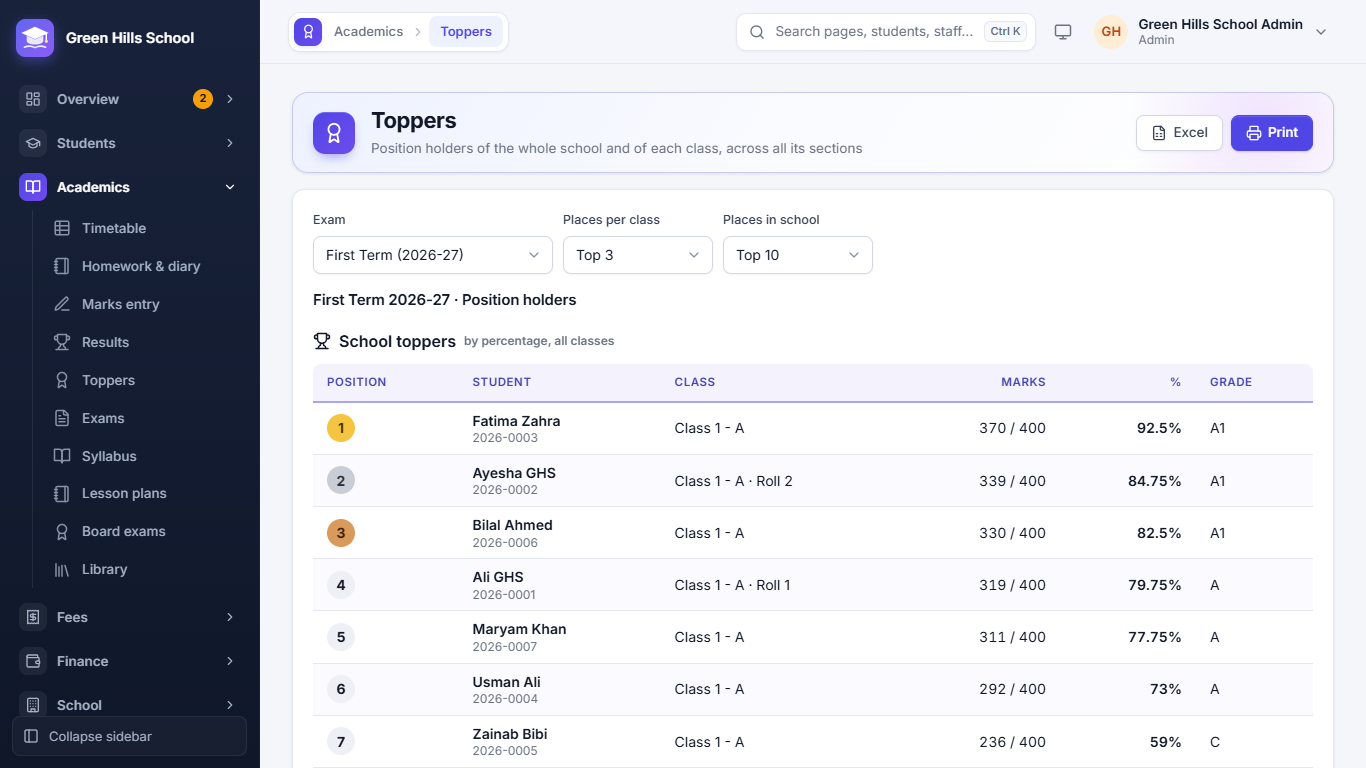
The date sheet is made from the exam's papers, for all classes in one table or class by class, and parents see it in the portal. Toppers lists the best students of each class across sections and of the whole school, ready to print for prize day.
- Position in the class across all sections on report cards
- Print or download to Excel
- Date sheets in English or Urdu
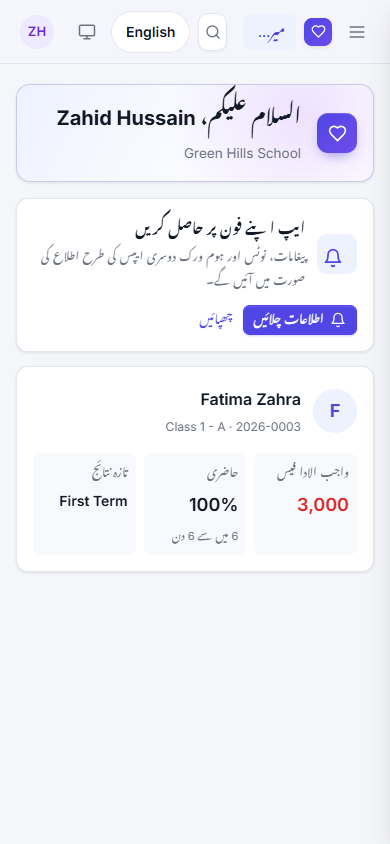
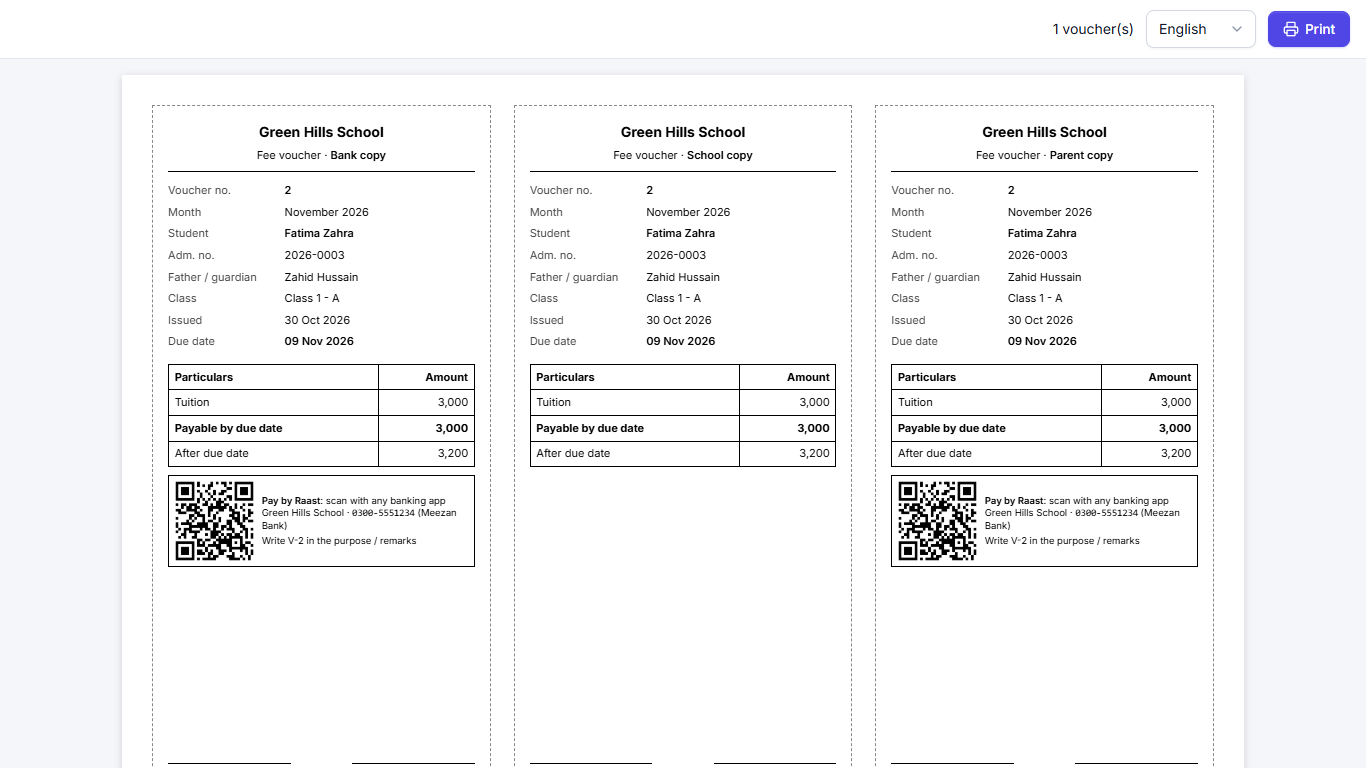
The parent portal, vouchers and report cards in Urdu.
Parents switch the whole portal to Urdu with one button, written right to left in Nastaliq. Staff can print fee vouchers, report cards and date sheets in Urdu for parents who prefer it.
- Dates, months and days in Urdu
- The choice is remembered on the phone
- Staff screens stay in English
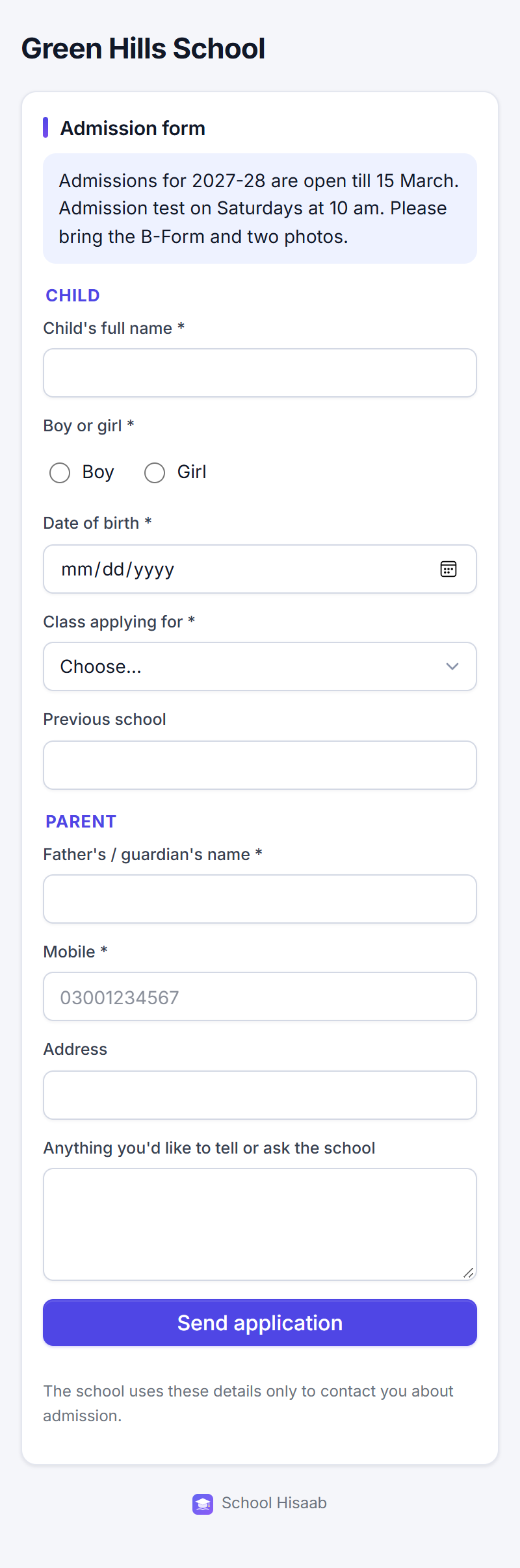
Parents apply from their phone. You call them back.
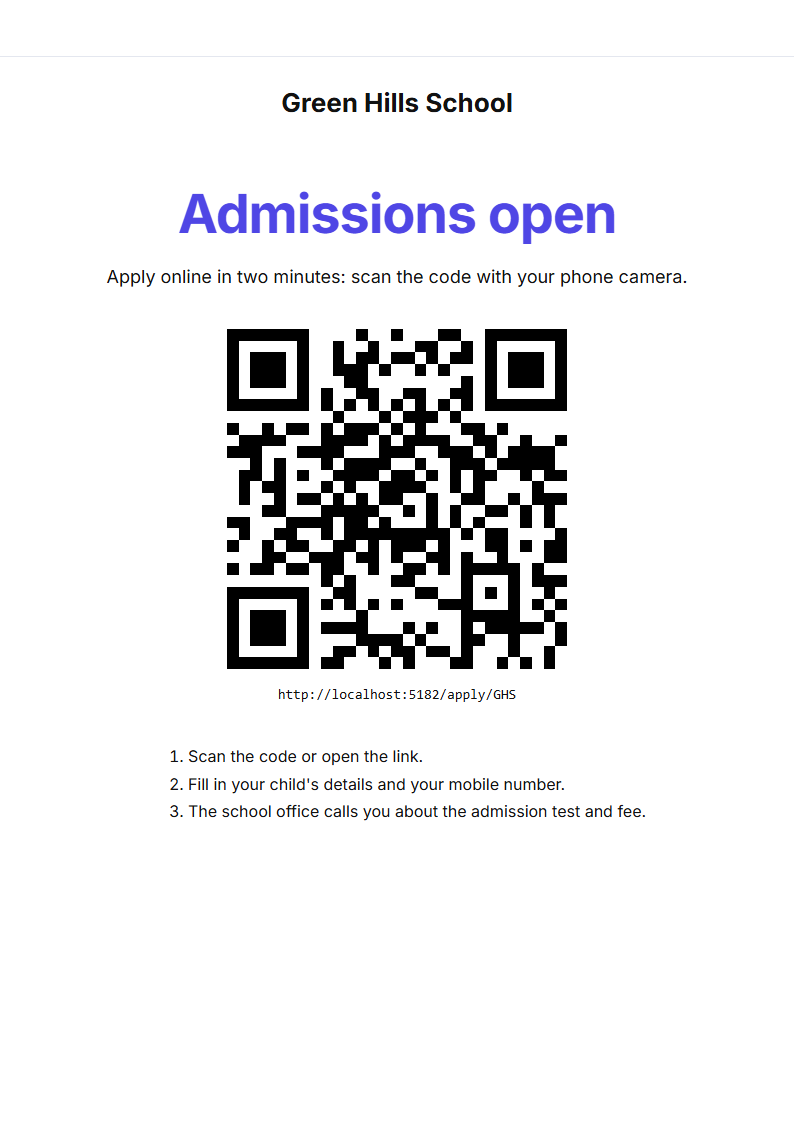
Every school gets its own admission form link and an "Admissions open" QR poster for the gate, the notice board or WhatsApp. Each application arrives as an admission enquiry, ready for the follow-up call, the admission test and the registration fee.
- Choose which classes are open and write the dates and documents to bring
- The parent gets a reference number; the principal gets a notification
- Admit in one click: the child's details are already filled in
Bring your students and their unpaid fees with you.
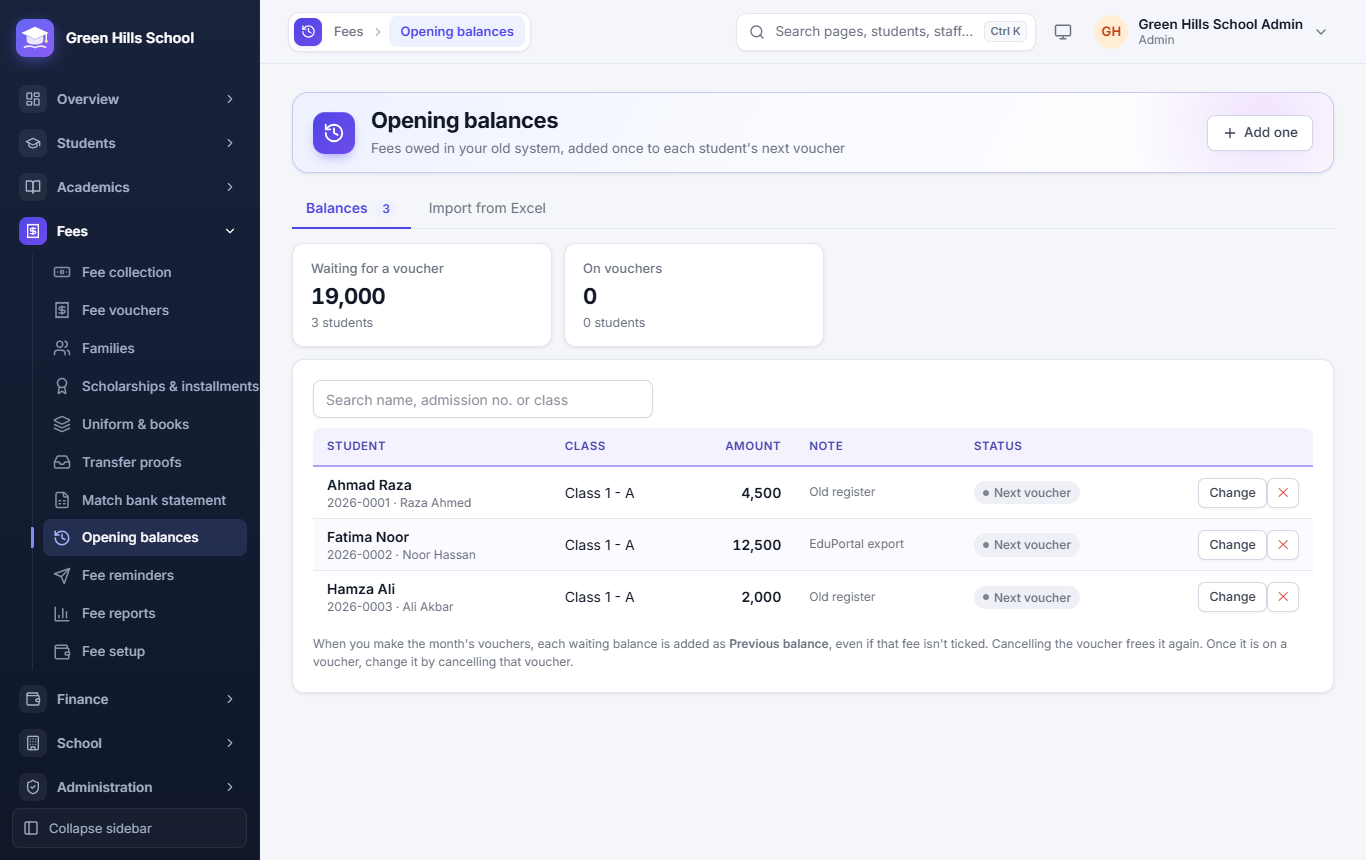
Upload the student list and the dues list exported from your old software or typed from your registers. Columns like GR No, Father Name, Total Dues or Arrears are recognised, and every row is checked before anything is saved. What each student still owed is added once to their next voucher.
- Works with Excel or CSV exports, no retyping
- Students who owe nothing or paid ahead are left out
- We help you move over during setup
A school website that updates itself.
Every school can have its own public website in five designs: Modern, Classic, Playful, Elegant and Heritage. Write a few lines about the school, add photos and the principal's message, and publish. The rest comes from your records: notices, holidays, admissions, toppers, board results and your teachers.
- On your own domain, like greenhills.edu.pk, or on our address
- Choose your uniform colour; looks right on phones
- "Admissions open" links straight to the online admission form

Each role sees only its own menu.
Everyone signs in on the same page. Every change to fees, marks, students and staff is kept in the audit log: who did it, when, and the old and new values.
Admin ALL
The whole school: students, staff, fees, users, settings and bank accounts.
Principal ALL
The same full menu, for the head teacher.
Accountant
Fee collection, vouchers, scholarships, installments, the uniform shop, admission enquiries, transfer proofs, reminders, payroll, expenses and reports.
Teacher
Attendance, marks, homework, syllabus and lesson plans for their own classes, parents' messages, the library desk, plus their own timetable and payslips.
Parent
Their own children's fees, attendance, results, board exams, timetable, homework, school van, library books and notices, and messages to the school.
Group owner
Every branch at once, with combined fee reports and branch transfers.
Ready for your first fee month in a day.
Bring your student list in Excel. The import checks every row and shows wrong dates, repeated rows or full classes in red before anything is saved.
- School profileName, phone, address and logo, printed on vouchers, receipts, certificates and ID cards.
- Academic yearAdd the year, for example 2026-27, and make it current.
- Classes, sections and subjectsClass 1, Class 2 … with sections A, B and how many students fit.
- Staff and feesAdd staff with their salary, then set fee heads and amounts for each class.
- StudentsAdmit one by one or import from Excel. Admission numbers like 2026-0007 are given for you.
Common questions
Does it work on a phone?
Yes. Every page works in a phone browser, for staff and for parents, and it installs on the home screen like an app with notifications.
Can other schools see our data?
No. Each school sees only its own data. Branches in a group are seen together only by your group logins.
What if we change a fee in the middle of the year?
Change it in Fee setup. Vouchers already made keep their amounts; new vouchers use the new amount.
A parent forgot their password.
The school office resets it. The parent chooses a new one at their next sign-in.